What ActionFlow 2 does
ActionFlow 2 is a graph editor for Game Creator 2. Use it to connect instructions, edit their settings and follow execution in Play Mode. Your behavior stays in the Game Creator components and assets already used by your project.
Instead of tracing nested Inspector lists up and down, you can read roots, branches, and Flow paths as one connected hierarchy. Each instruction's place in the behavior remains visible while you edit it.
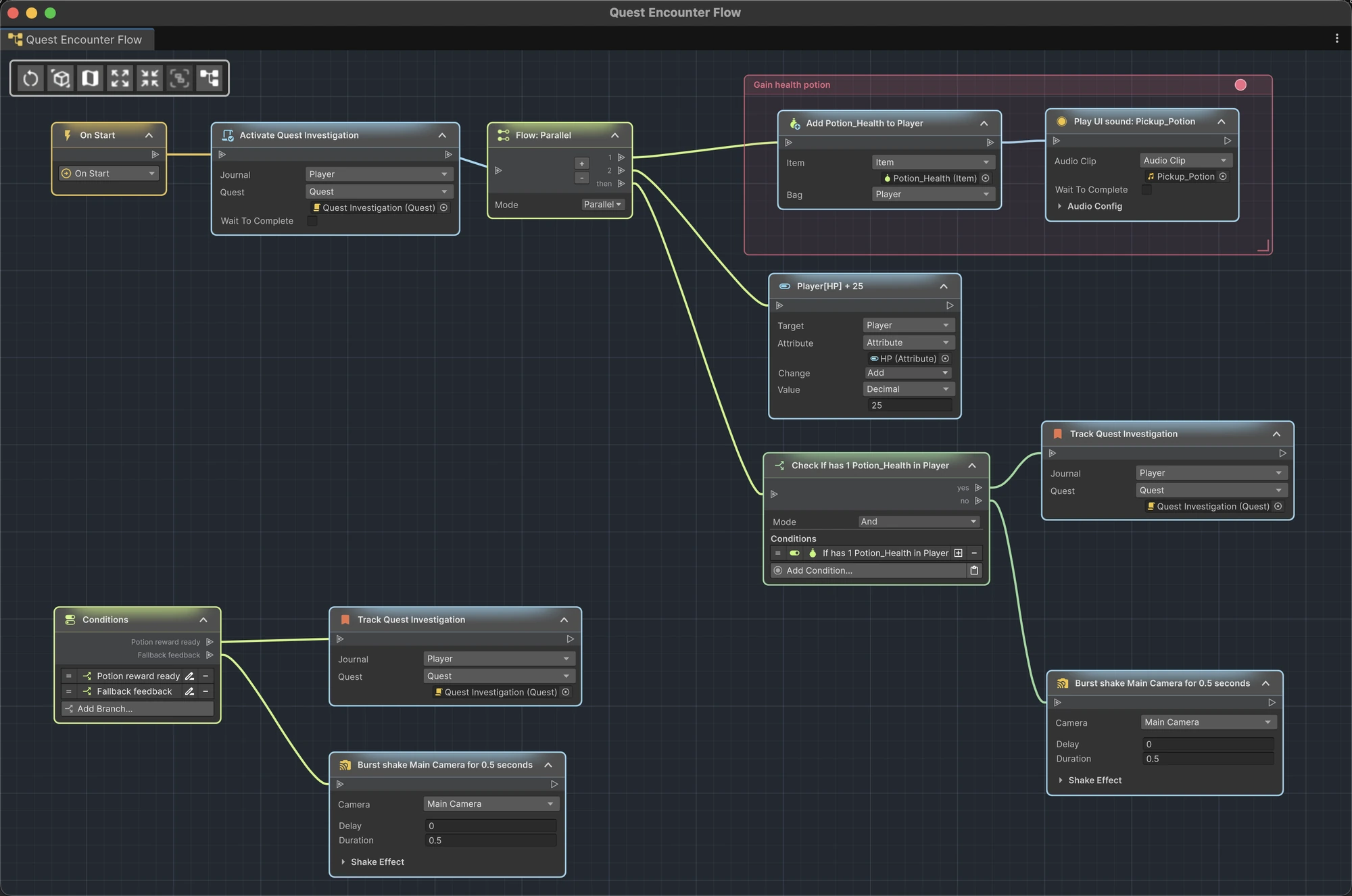
Component graphs
Open the supported Game Creator components on one GameObject in one graph:
- Trigger components become event roots;
- Actions components contribute their instruction sequences;
- Conditions components become multi-branch roots;
- ordinary instructions become connected nodes;
- ActionFlow's Branch and Flow instructions expose two-way and multi-output paths directly.
Component graphs work with scene objects, prefab assets in Prefab Mode, prefab instances, variants, and nested prefabs. Changes made in the graph update the same components you would edit in the Inspector.
Reusable ActionFlow assets
ActionFlow 2 includes three reusable asset types:
| Asset | What it does | Where to edit it |
|---|---|---|
| Instruction Asset | Runs a reusable instruction sequence, including waits | Graph |
| Branch Asset | Checks conditions and runs the chosen path | Graph |
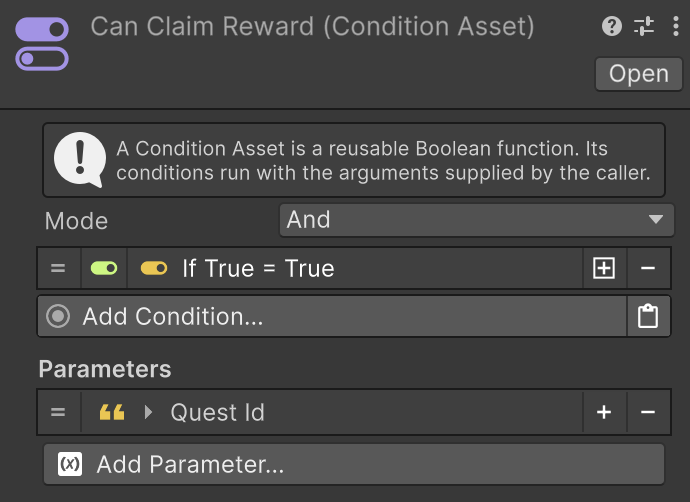
| Condition Asset | Checks conditions and returns true or false | Inspector |
Assets can define typed input parameters. Callers provide ordinary Game Creator property values for those parameters, so the same asset can operate on different characters, numbers, strings, objects, or module-specific data each time it runs.


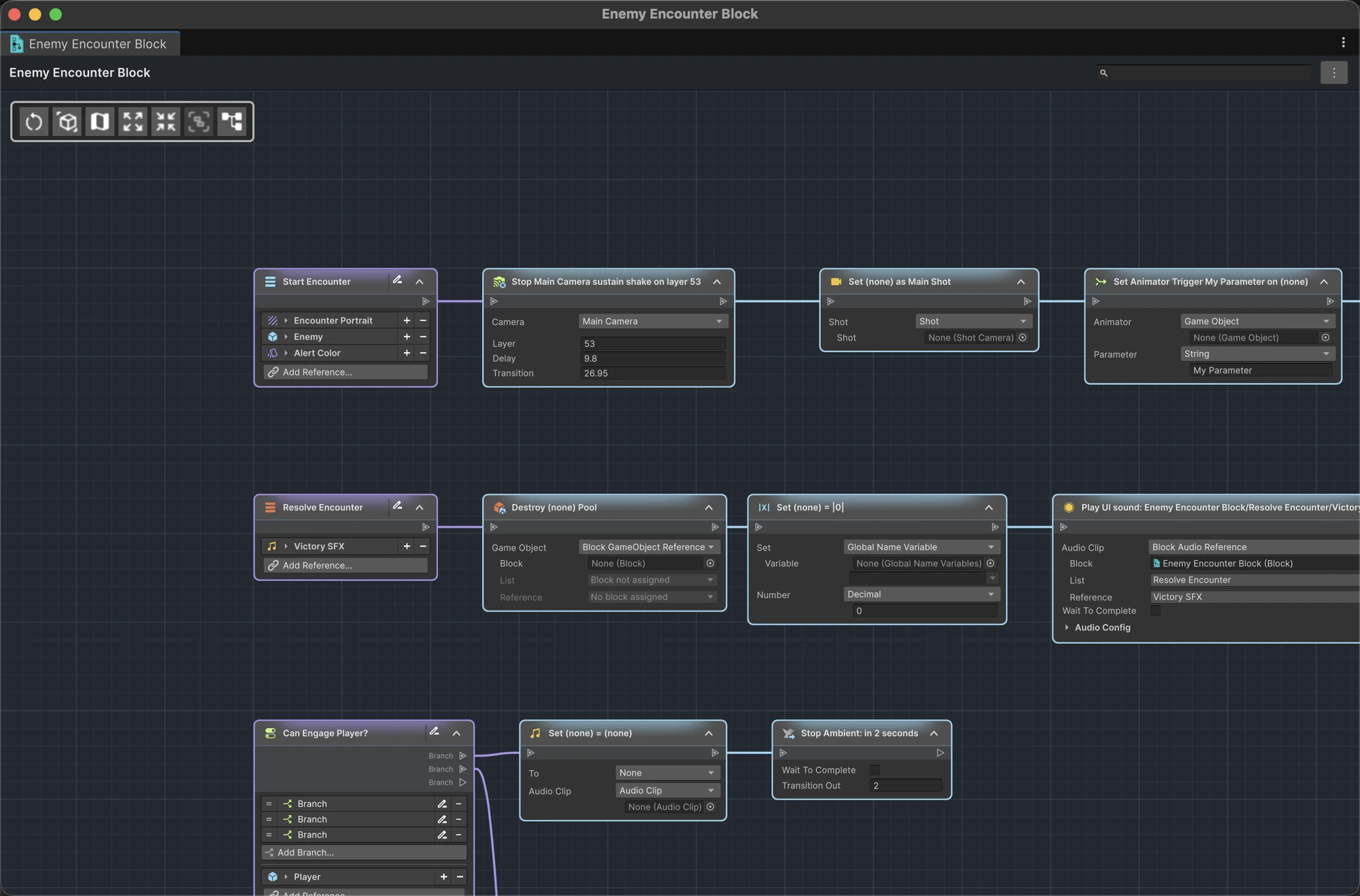
LogicBlock integration
When a compatible LogicBlock version is installed, ActionFlow 2 can open a LogicBlock Block asset as one unified document. It provides:
- an overview of all instruction and condition lists;
- focused graph views for individual lists;
- list and node editing with Unity Undo/Redo;
- node search, call navigation, and Find Usages;
- runtime highlighting for direct and instance-list calls.
LogicBlock is optional. NodeFlow is not required. If a LogicBlock version is unsupported, ActionFlow 2 shows a compatibility message and leaves the asset unchanged.
Learn about LogicBlock integration.
Compatible installed Game Creator modules
Events and Instructions from compatible installed modules appear automatically in the node picker. You edit their settings as you would in the Game Creator Inspector.
Installed modules can also add parameter types for reusable assets. For example, Inventory adds item values. Let Unity finish compiling after adding or removing a module so these menus can update.
See the exact supported Unity and Game Creator versions.

Graph editing and organization
Across supported graph documents, ActionFlow 2 provides:
- searchable node creation;
- drag-to-connect and insert-on-edge workflows;
- copy and paste;
- multi-selection and bulk deletion;
- collapse and expand controls;
- minimap navigation;
- sticky notes and colored placemats;
- automatic layout;
- saved node positions and a remembered pan and zoom level;
- external-change detection and safe refresh.
Go deeper with graph editing, placemats and sticky notes, and the keyboard and mouse reference.
Work with Unity
components & assets
Use Unity Undo and Redo to change graph edits, and Unity prefab overrides to manage instance changes. Add, delete and reconnect nodes in Edit Mode. In Play Mode, navigate the graph and watch the execution highlights.