Toolbar
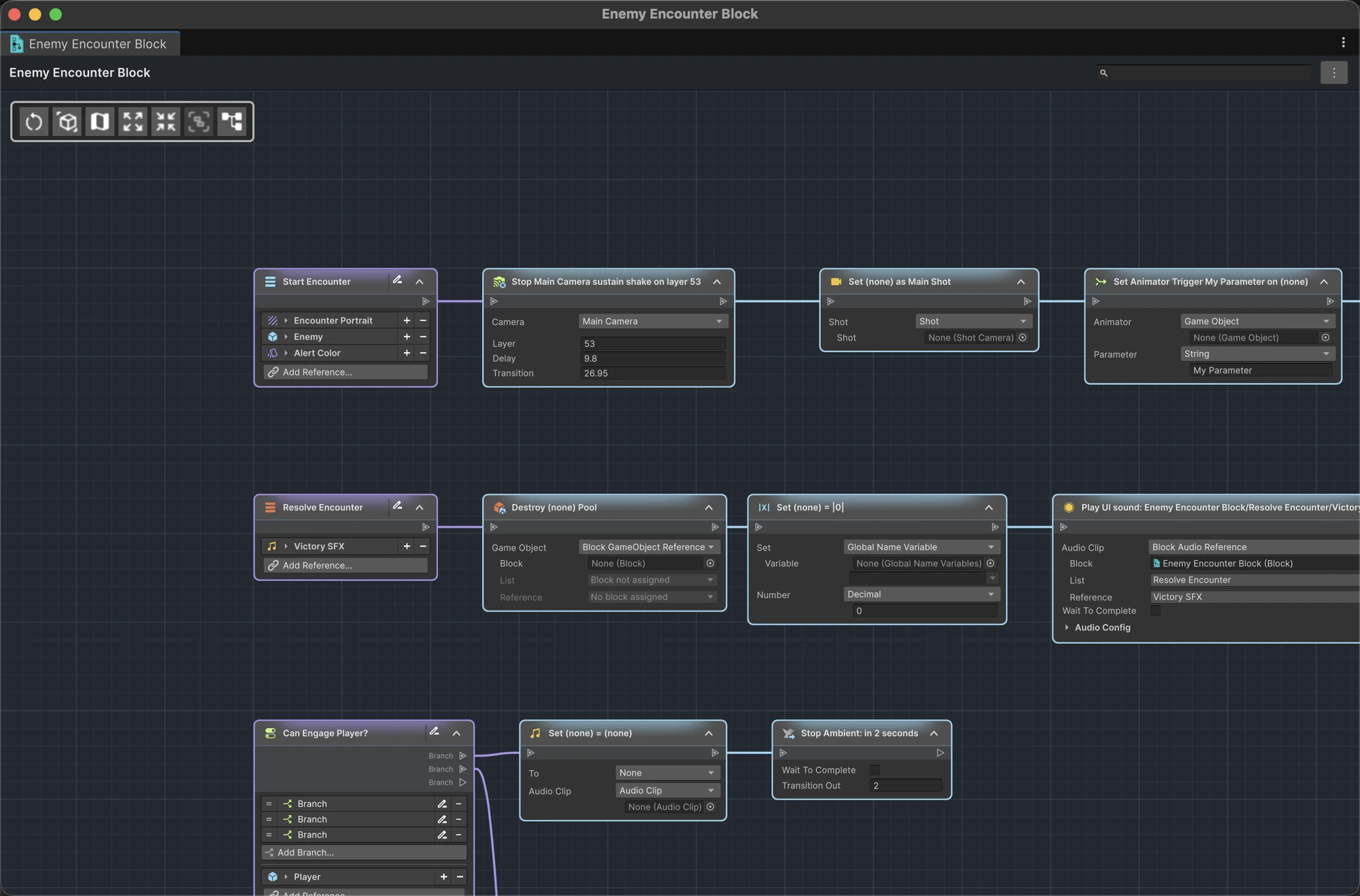
The main toolbar appears in the upper-left of ActionFlow 2 graphs. Commands that do not apply to the current graph type may be hidden or disabled. For example, GameObject selection is unavailable while an asset document is open.


| Icon | Command | Purpose |
|---|---|---|
|
Reset view | Resets pan and zoom without moving nodes. |
|
Select represented GameObject | Selects the graph's GameObject in Unity. |
|
Show / Hide minimap | Toggles the graph overview. |
|
Expand nodes | Expands the selection, or every node when nothing is selected. |
|
Collapse nodes | Collapses the selection, or every collapsible node when nothing is selected. |
|
Create placemat from selected nodes | Groups the selected nodes in a new placemat. |
|
Auto-Layout Graph | Click for continuous horizontal layout. Shift-click to wrap local chains into rows of six, keeping a lone final node on the preceding row. |
Hold Alt (Option on macOS) while clicking Expand nodes or Collapse nodes to apply the command to the whole graph even when nodes are selected.
See Organize large graphs for the complete placemat, sticky-note, automatic layout, and minimap workflow.
Prefab instance banner
A prefab instance adds a banner next to the main toolbar:
- Open Asset Graph opens the corresponding prefab source in Prefab Mode.
- Use Prefab Layout removes the instance's layout changes and returns to the inherited layout when applicable.
The banner is also a reminder that edits to the instance can become Unity prefab overrides.

LogicBlock document bar
A LogicBlock asset adds document navigation for Overview and its individual instruction and condition lists. Its menu includes Find Usages and Refresh from Asset.